Deploy database service
The Websoft9 App Store provides you with a wide selection of the major database systems. Built-in deployment templates include multiple versions of MySQL, MariaDB, PostgreSQL, MongoDB, Redis, SQL Server, Elasticsearch, Oracle Database, Neo4j and other databases, allowing users to deploy their own database services with a one-click.
Deploy a database
-
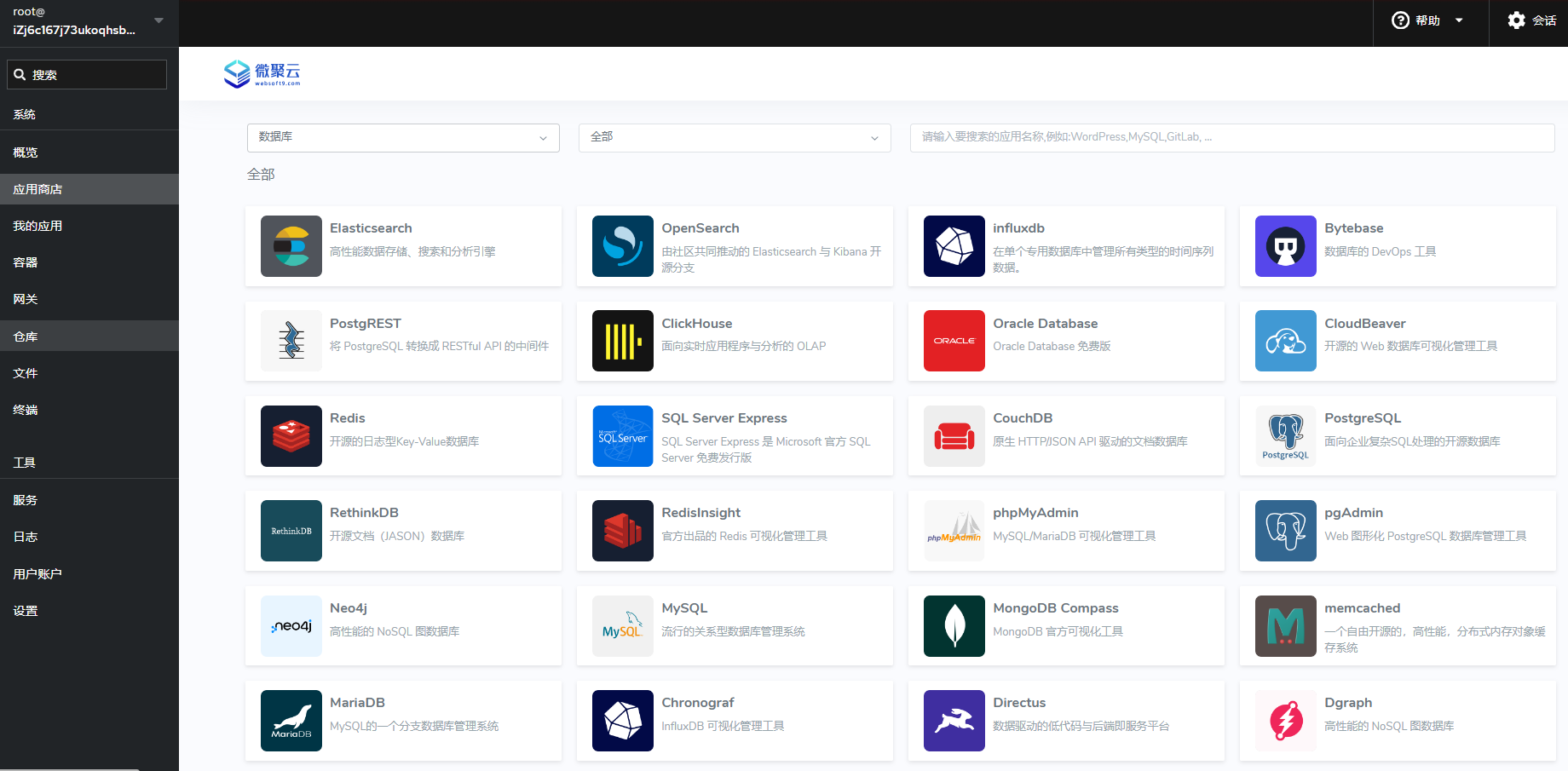
Login to Websoft9 Console, list all databases from App Store database catalog
-
Select and Install one database you want to use
Configuration options
In the Websoft9 App Store, database services follow default configurations for security and usability.
- Running Mode: Databases run in containers, ensuring consistency and portability.
- Data Persistence: Named volumes ensure persistent and independent data storage.
- External Access: Databases map to host ports; open ports in security groups for external access.
- Config Management: Adjust configurations via container environment variables or mounted config files.
For further customization and redeploy, refer to the Git repository.
Fleet
Default system accounts, ports, and management tools for Websoft9-deployed databases for your reference:
| Database | administrator | port | Web-based tools |
|---|---|---|---|
| MySQL | root | 3306 | phpMyadmin, CloudBeaver |
| MariaDB | root | 3306 | phpMyadmin, CloudBeaver |
| PostgreSQL | postgres | 5432 | pgAdmin, CloudBeaver |
| SQL Server | sa | 1433 | CloudBeaver |
| MongoDB | root | 27017 | MongoDB Compass |
| Oracle Database | system | 1521 | CloudBeaver |
| Redis | 空 | 6379 | RedisInsight |