Webmin Maintenance
This chapter is special guide for Webmin maintenance and settings. And you can refer to Administrator and Steps after installing for some general settings that including: Configure Domain, HTTPS Setting, Migration, Web Server configuration, Docker Setting, Database connection, Backup & Restore...
Maintenance guide
Webmin Upgrade
Webmin have the interface for upgrade, it very easy for you
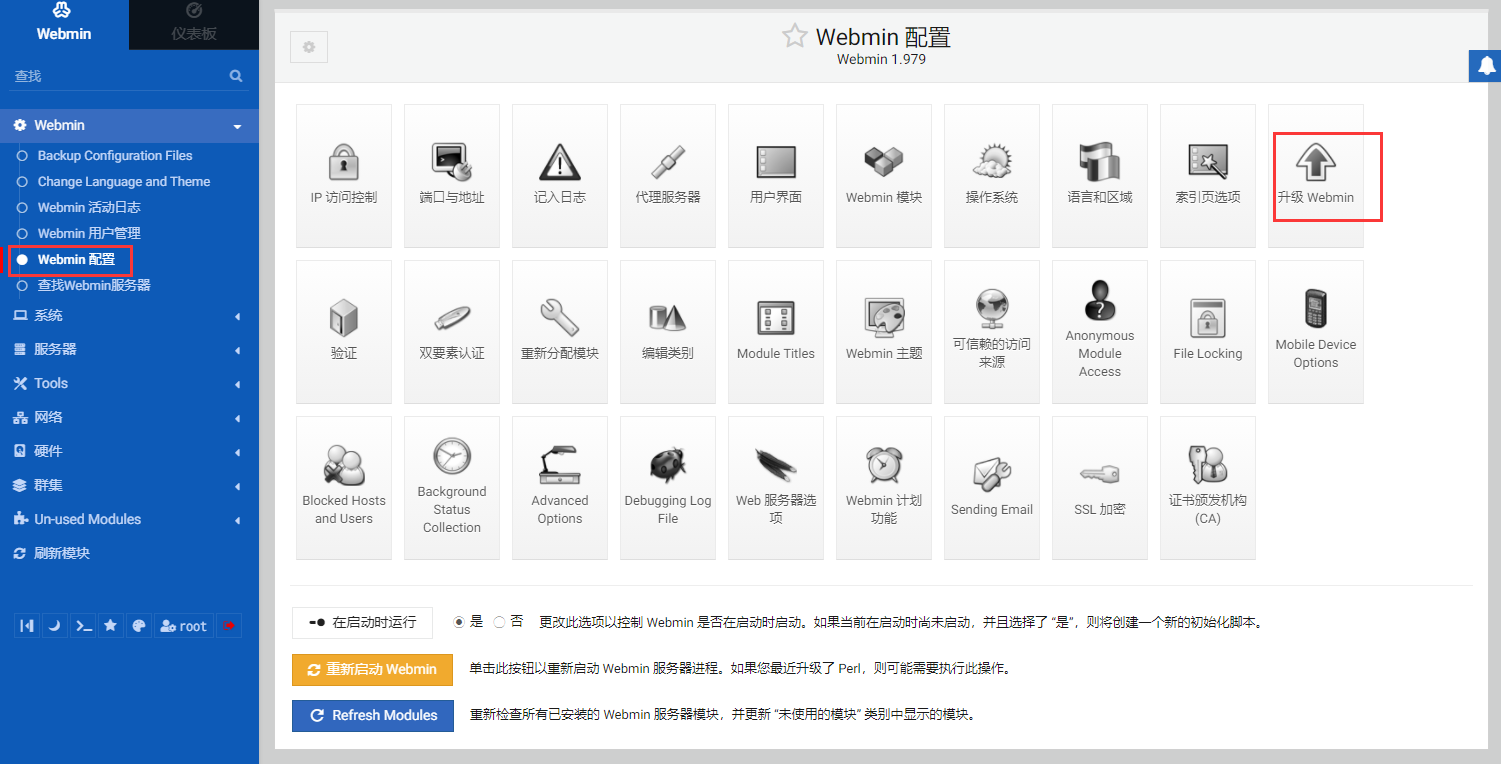
卸载
暂无方案
Troubleshoot
In addition to the Webmin issues listed below, you can refer to Troubleshoot + FAQ to get more.
FAQ
Does Webmin support multiple languages?
Yes, you can change language from Webmin console
What kind of installation method does Webmin use in this project?
Use rpm/deb
Is Apache included in Webmin?
Does not contain. But in this deployment plan, we have additionally installed Apache
Why is the newly installed Webmin module still displayed under the Un-used Modules menu?
You should click【Refresh module】after the installation of new module
What is the function of HTTP Tunnel?
To be studied
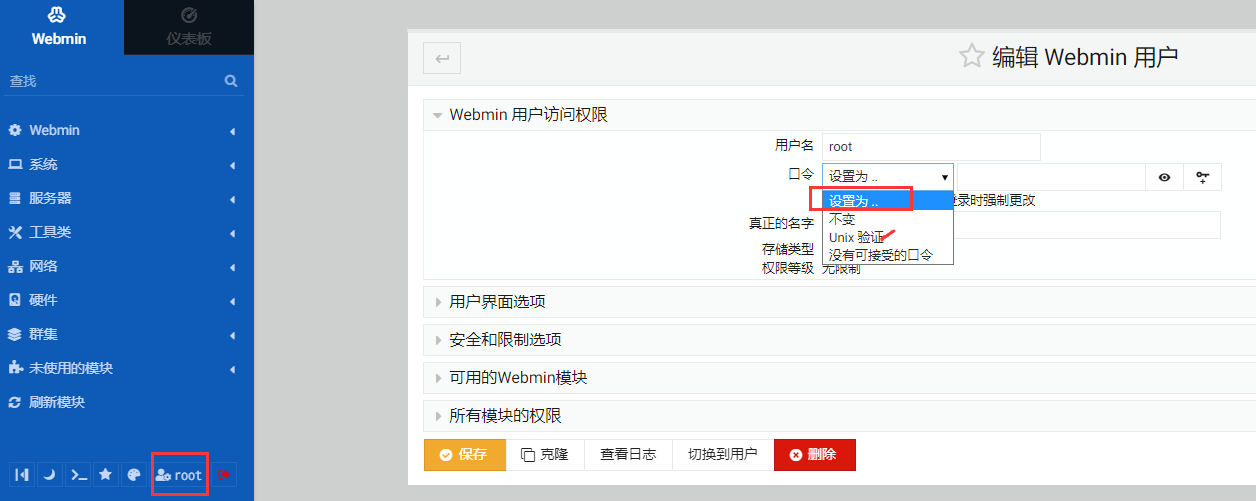
How to disable Webmin inherit the Linux system user?
You can 【Unix验证】 更改为 【设置为】,同时设置新密码和用户
Can I reset password of Webmin by command?
Webmin uses the server root password, so use the passwd system command