Ansible
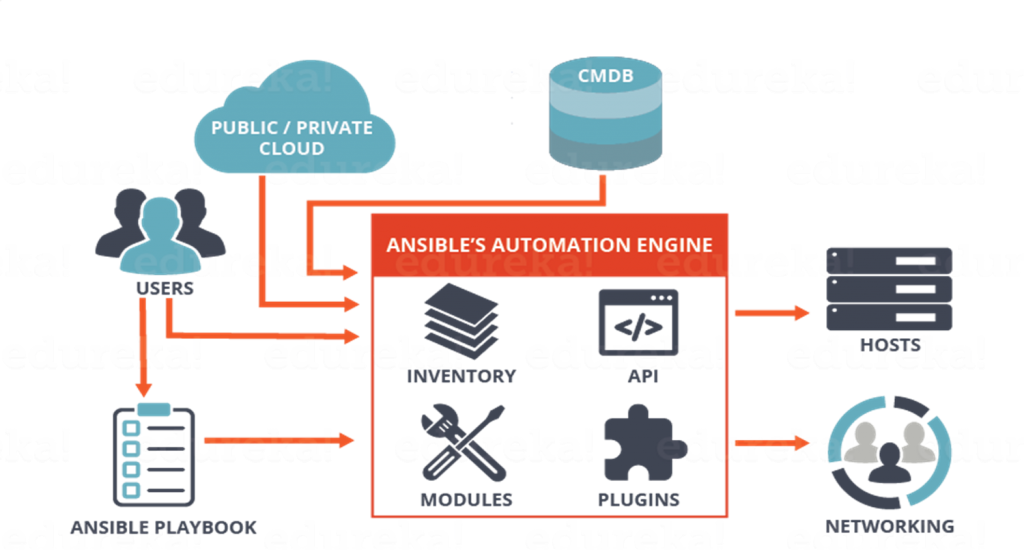
Ansible is A radically simple IT automation platform, used for Application orchestration Operations Automation . Ansible is an open source IT automation engine that automates provisioning, configuration management, application deployment, orchestration, and many other IT processes.
Prepare
When referring to this document to use Ansible, please read and ensure the following points:
-
Login to Websoft9 Console and find or install Ansible:
- Go to My Apps listing applications
- Go to App Store installing target application
-
This application is installed by Websoft9 console.
-
The purpose of this application complies with the GPL-3.0 open source license agreement.
-
Configure the domain name or server security group opens external network ports for application access.
Getting started
After installing Ansible in the Websoft9 Console, view the application details in My Apps, and acccess to the container by Exec Console.
Test Ansible
-
Prepare managed nodes before using Ansible.
-
Run the below commands to test Ansible localhost mode
# Viewing the help
ansible -h

# View system information
ansible localhost -m setup -
Run the test example that already exists in the container.
cd test

# Edit the managed node connection
vim inventory

# Start the run command
ansible-playbook -i inventory playbook.yml
``
Configuration options
-
Ansible Configuration file
- /etc/ansible/ansible.cfg: automatically generated by installation
- . /ansible.cfg: located in the current working directory
- ~/.ansible.cfg: located in the current user's home directory
-
Ansible Example Directory: /ansible/project
-
Environment Variables: Environment variables that begin with 'ANSIBLE_' are related to 'ansible.cfg'. For example: 'export ANSIBLE_SUDO_USER=root'
-
Ansible GUI tool: Ansible Semaphore
-
CLI(√): ansible