Memcached
memcached is a free & open source, high-performance, distributed memory object caching system, used for In-memory Database . Memcached is an in-memory key-value store for small chunks of arbitrary data (strings, objects) from results of database calls, API calls, or page rendering.
Prepare
When referring to this document to use memcached, please read and ensure the following points:
-
Login to Websoft9 Console and find or install memcached:
- Go to My Apps listing applications
- Go to App Store installing target application
-
This application is installed by Websoft9 console.
-
The purpose of this application complies with the bsd3Clause open source license agreement.
-
Configure the domain name or server security group opens external network ports for application access.
Getting started
Initial setup
- When completing the installation of Memcached in the Websoft9 Console, get the applicaiton's Overview and Access information from My Apps
Login to the Console
Memcached-admin is pre-built into this application orchestration but is not enabled by default. To enable it, following these steps:
-
Select Websoft9 console > My apps > compose > Go to Edit Repository.
-
Modify the Memcached
docker-compose.ymlfile.- Update the host ports in the ports element
- Remove the profiles element.
-
After rebuilt the application, your can access the control panel through
http:/URL:port.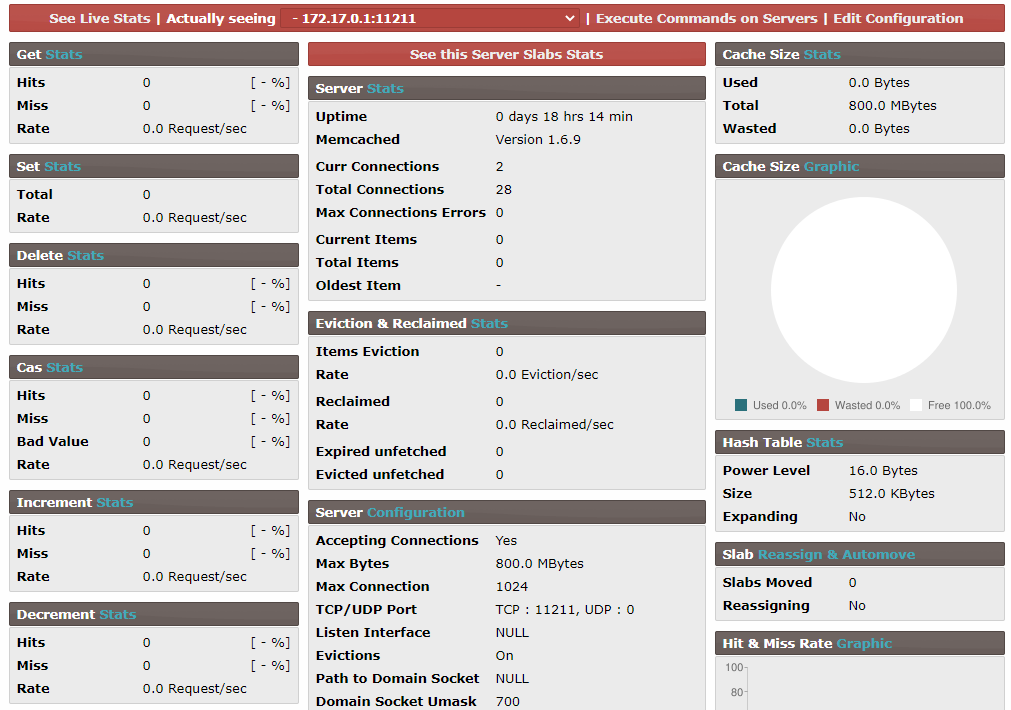
Telnet Connection
-
Run the telnet command to connect to Memcached.
telnet 127.0.0.1 11211
Trying 127.0.0.1...
Connected to 127.0.0.1.
Escape character is '^]'.
^]'. -
Once connected successfully, the system enters the Memcached CLI. Input the command
stats.$ stats
STAT pid 651
STAT uptime 891
STAT time 1585225158
STAT version 1.4.15
STAT libevent 2.0.21-stable
...
Configuration options
- Client command: Use Memcached Commands through Telnet.
- Server-side commands: Run
memcached -h. - Memcached-admin: Modify the compose file to enable it.